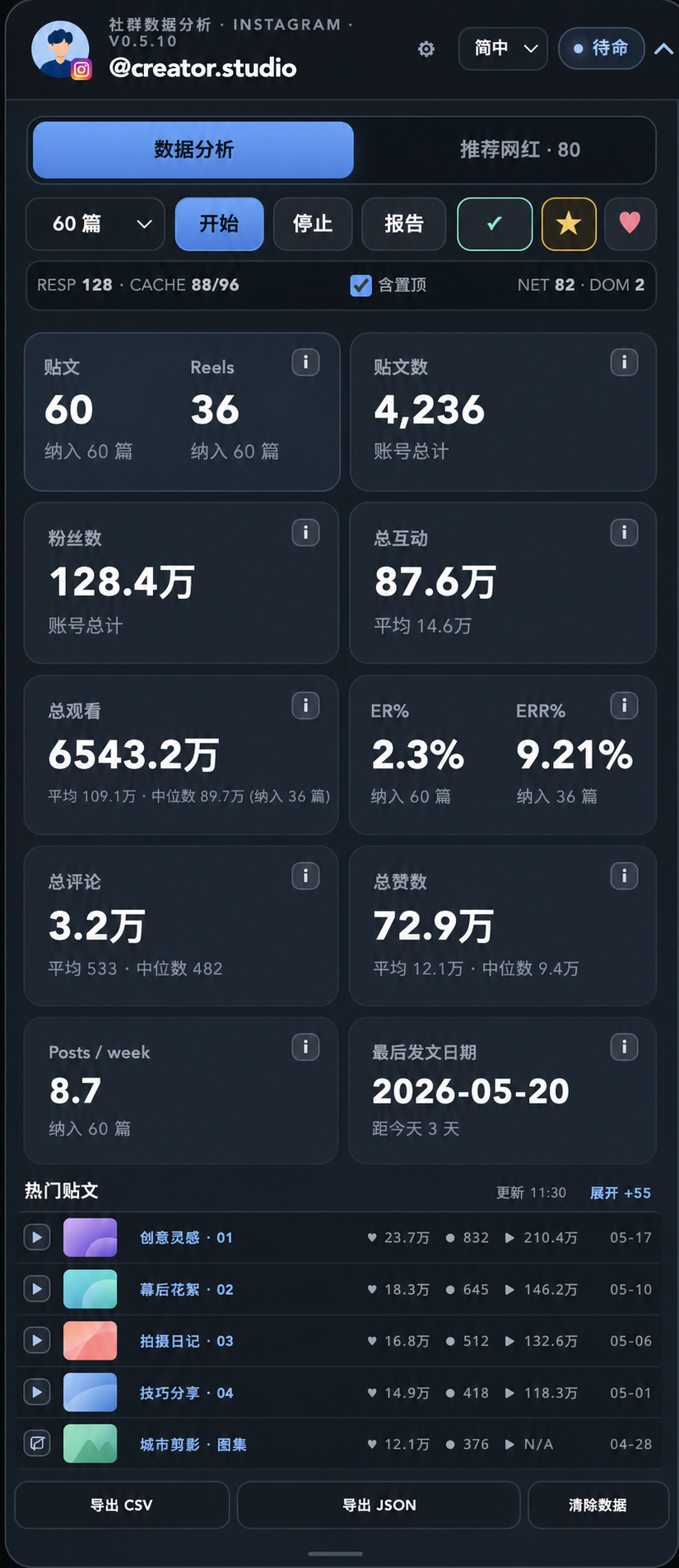
In-page analysis
Recent-post or day ranges, KPIs, top posts, posting frequency, and the latest publishing date.
- Followers and total content
- Likes, comments, views, ER, ERR
- Instagram collaboration marker
CHROME EXTENSION · LOCAL-FIRST SOCIAL ANALYTICS



 Social Analytics | Passive Analytics
On an Instagram, TikTok, or Threads profile you open, organize public content already loaded in Chrome—from recent performance and top posts to historical trends and account comparisons.
v0.7.18 is live · No cookies, credentials, or passwords read; no private API requests created or replayed.
START IN FOUR STEPS
No password, post list, or API key export is needed. The extension only works with data already loaded on the page you opened.
Visit the Instagram, TikTok, or Threads account you want to study.
Analyze recent posts or a recent number of days.
Review KPIs, top content, and detailed range calculations.
Keep local snapshots, compare accounts, or export the result.
REPORTS · COMPARE
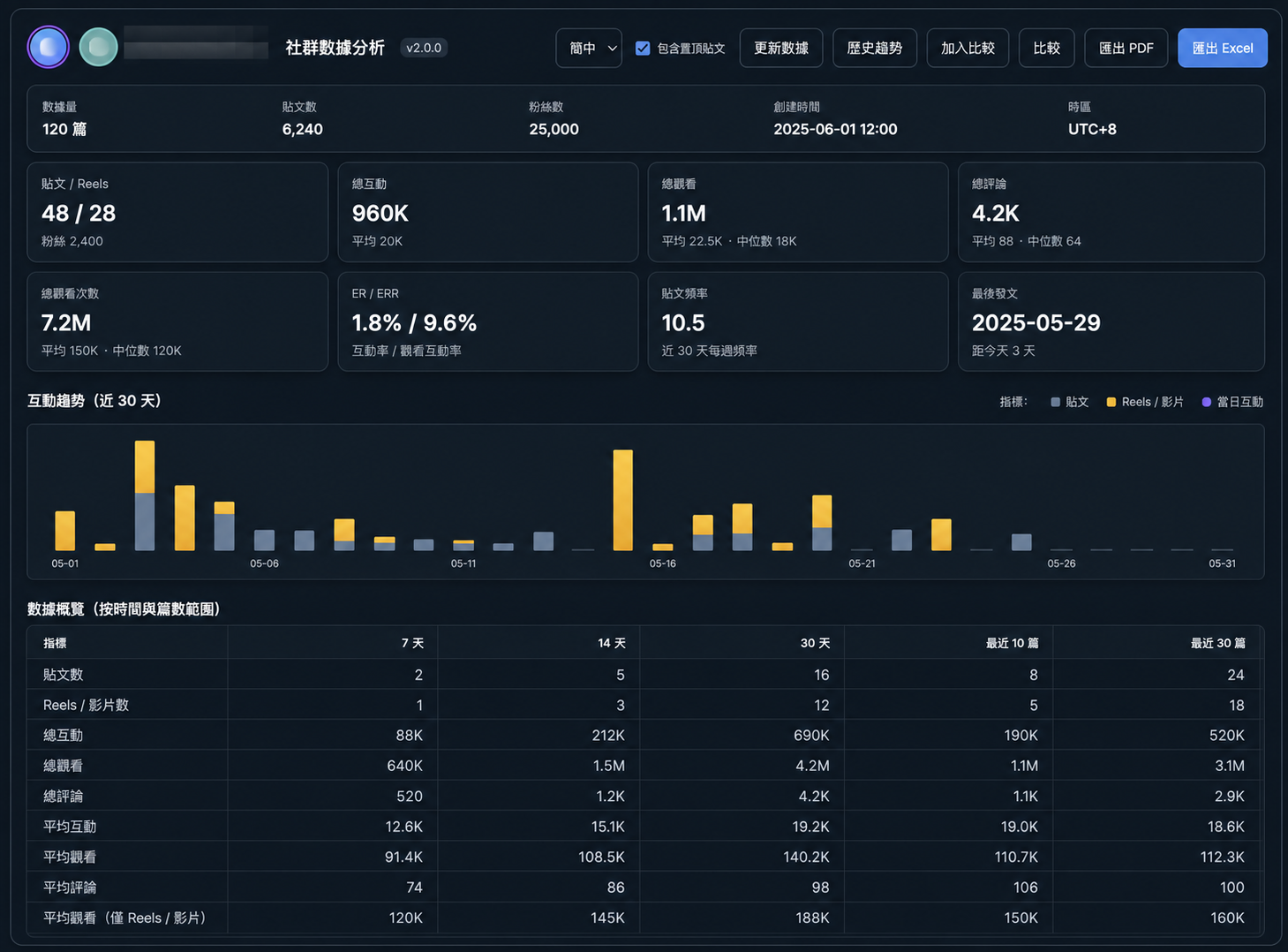
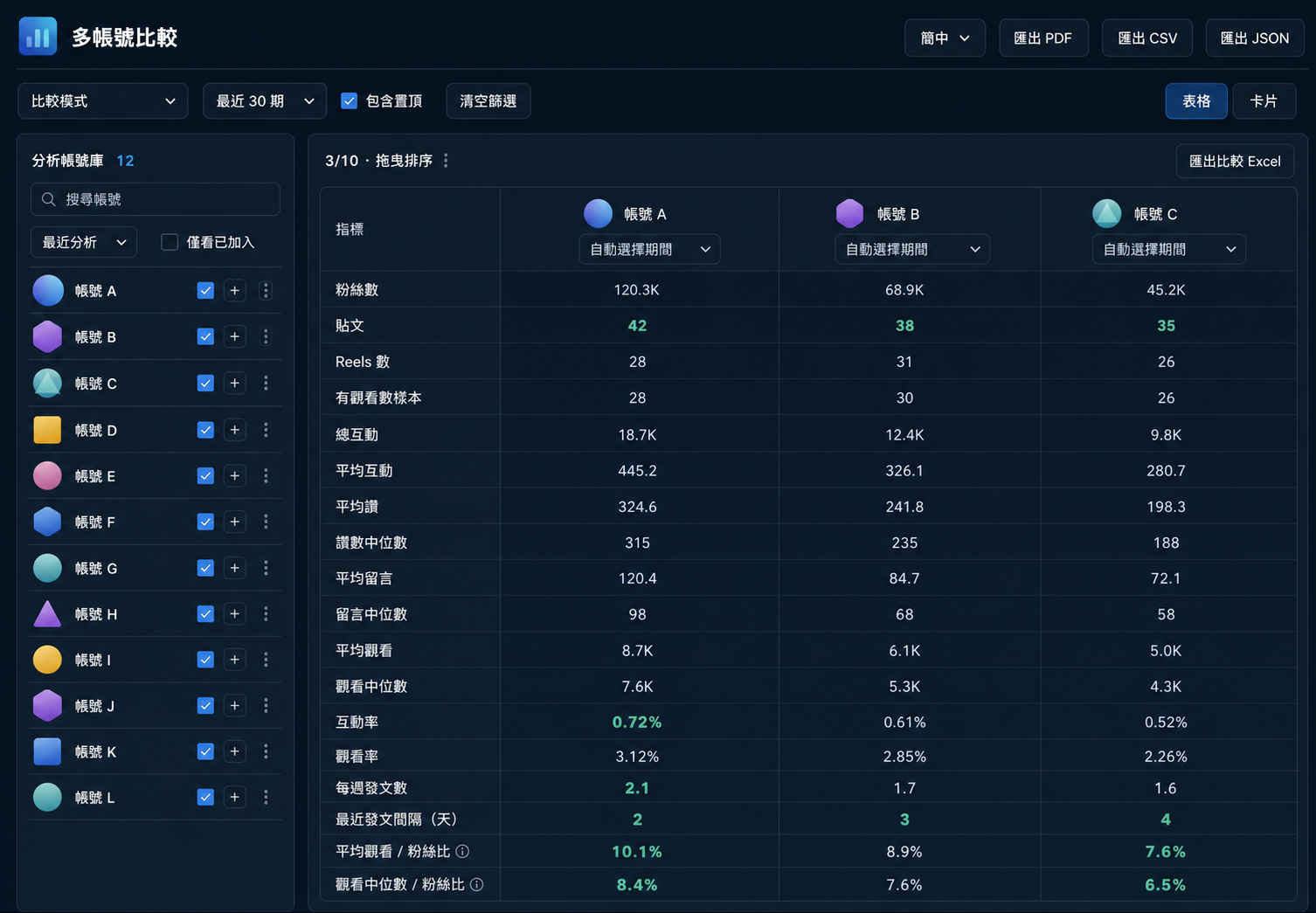
Read trends by a configurable range or compare locally saved accounts in one table. All example data is fictional.
V0.7 · PROJECT WORKSPACE
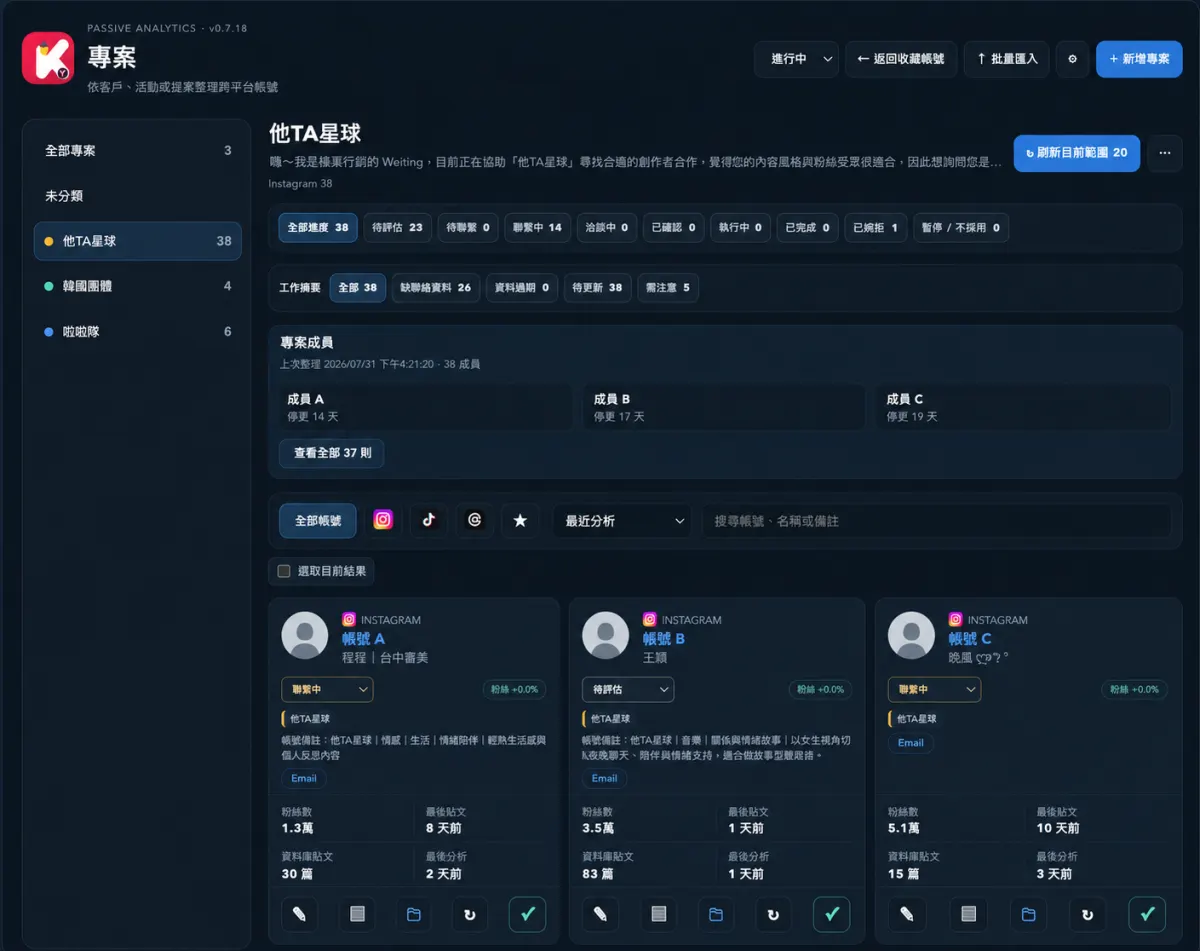
The same Instagram, TikTok, or Threads creator can belong to multiple clients, campaigns, or pitches. Classification and collaboration details stay local in your browser.
See notes, Email, LINE, WhatsApp, WeChat, and project-specific collaboration progress in one project.
Find creators with missing contacts, stale data, pending updates, or attention flags, then refresh, compare, export, or back up the filtered group.
ONE EXTENSION · THREE PLATFORMS
The platforms share one workflow, while their local data models and databases remain separate.
Recent-post or day ranges, KPIs, top posts, posting frequency, and the latest publishing date.
Recalculate by five configurable time and post-count ranges.
Save completed analyses as snapshots and compare accounts stored locally.
Centralize ranges, KPIs, top-content options, and cache limits.
PRIVACY & DATA BOUNDARY
What it does Passively processes already loaded responses, page state, and visible DOM, then calculates and saves data locally.
What it does not do It does not read, store, or upload cookies, tokens, sessions, or passwords; it does not construct, call, or replay private APIs.
Storage Instagram, TikTok, and Threads data are stored separately in local databases and can be exported, imported, or cleared.
RELEASE STATUS
It adds a three-platform project workspace, creator contacts, and controllable browsing saves while retaining local-first analysis, snapshots, comparisons, and exports.